
Find dead stock before it drains your cash flow
See exactly which SKUs haven't sold — and how long they've been sitting — using real Shopify order data. No guesses. No estimates.
No credit card required. Free 7-day trial.
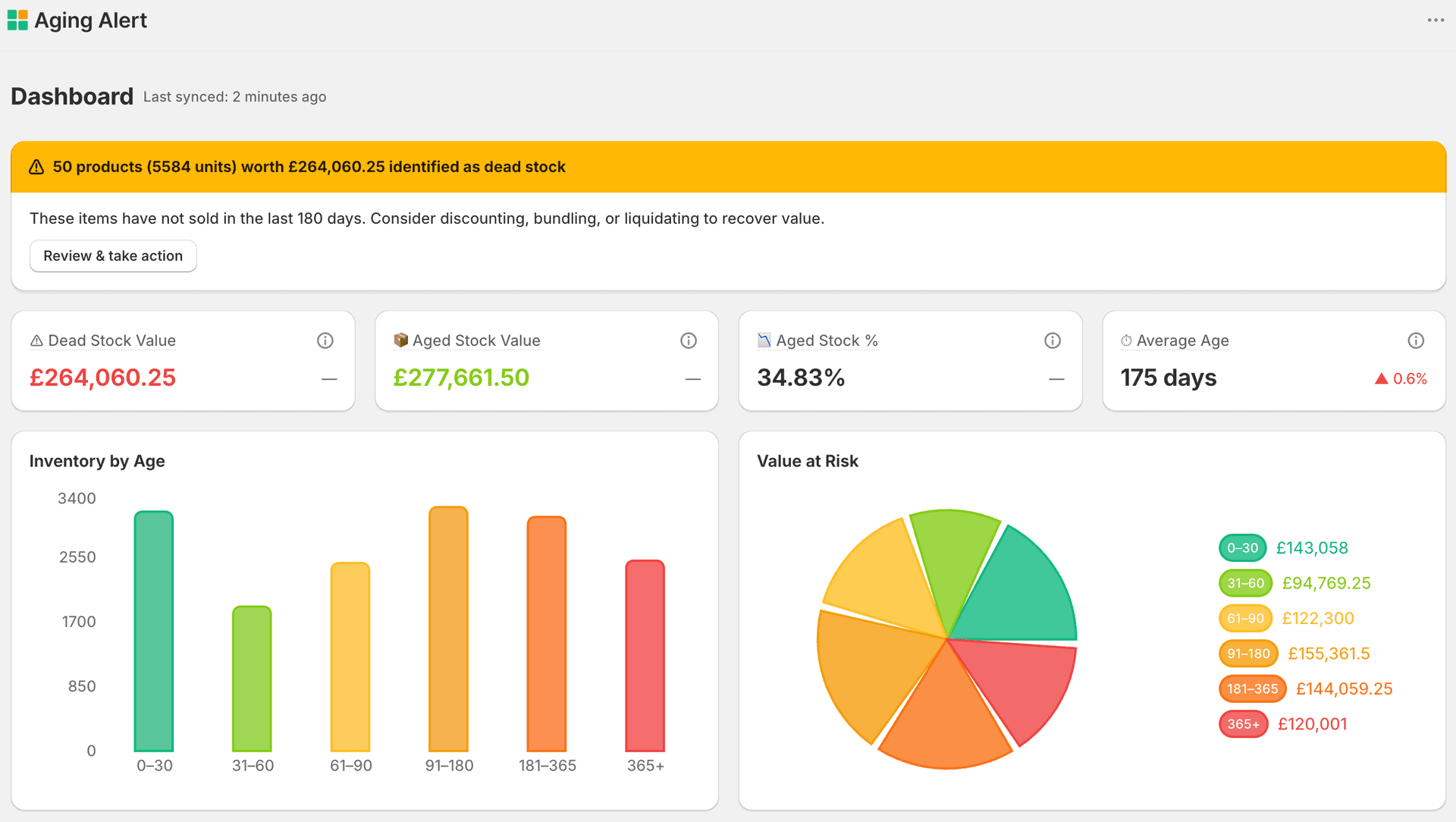
Most Shopify stores are sitting on thousands in dead stock — and don't know it.
Shopify tells you what you have. It doesn't tell you what's stopped selling — or how much that's costing you.
Real numbers from a Shopify store using AgingAlert
Dead inventory is invisible until it's too late
Shopify shows you stock levels — not how long products have been sitting. By the time you notice, the margin is already gone.
Cash is trapped in inventory you can't see
Every unsold unit locks up money you could use for ads, new products, or operations. Aging stock is a silent, compounding drain.
Decisions are based on gut feel
Without clear last-sold data, markdowns, reorders, and discontinuations are guesses — not decisions.
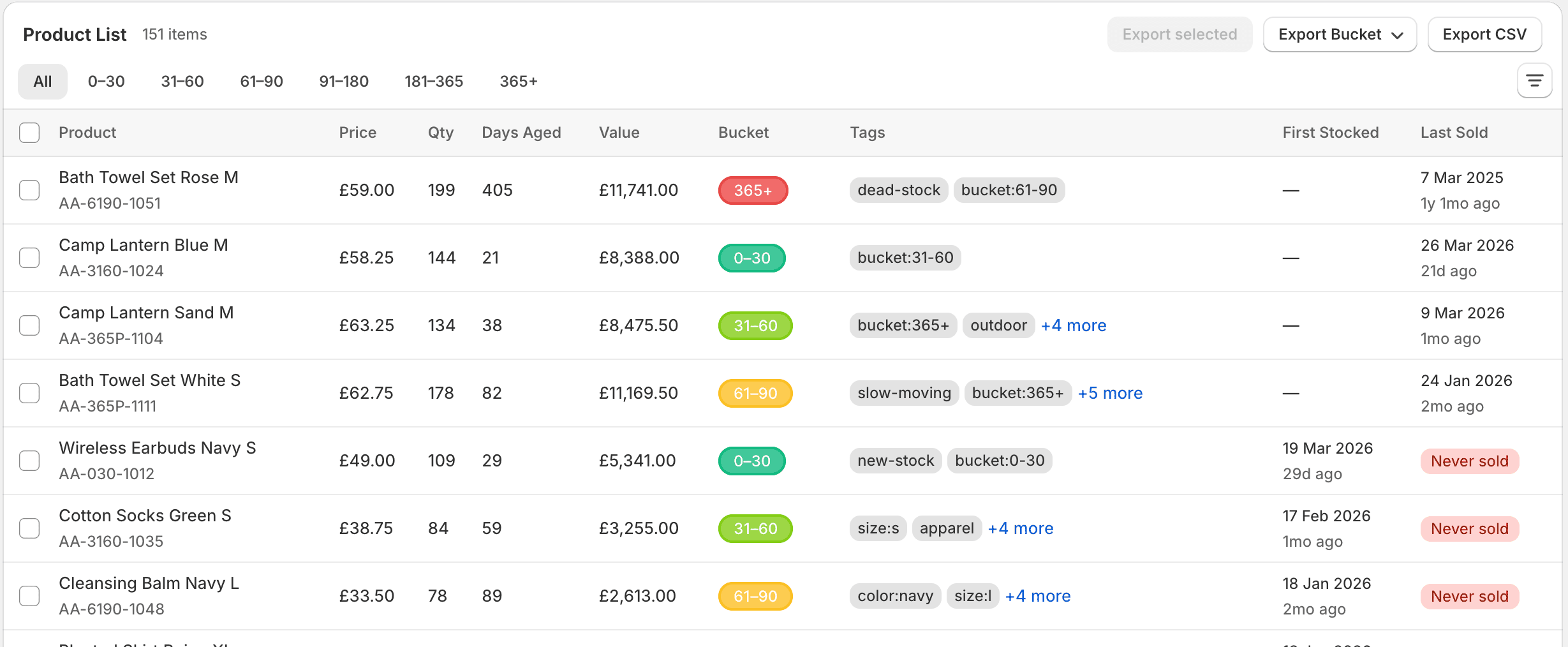
Your inventory, sorted by age
Every SKU ranked by how long it's been sitting. Dead stock rises to the top — so you act on facts, not instinct.

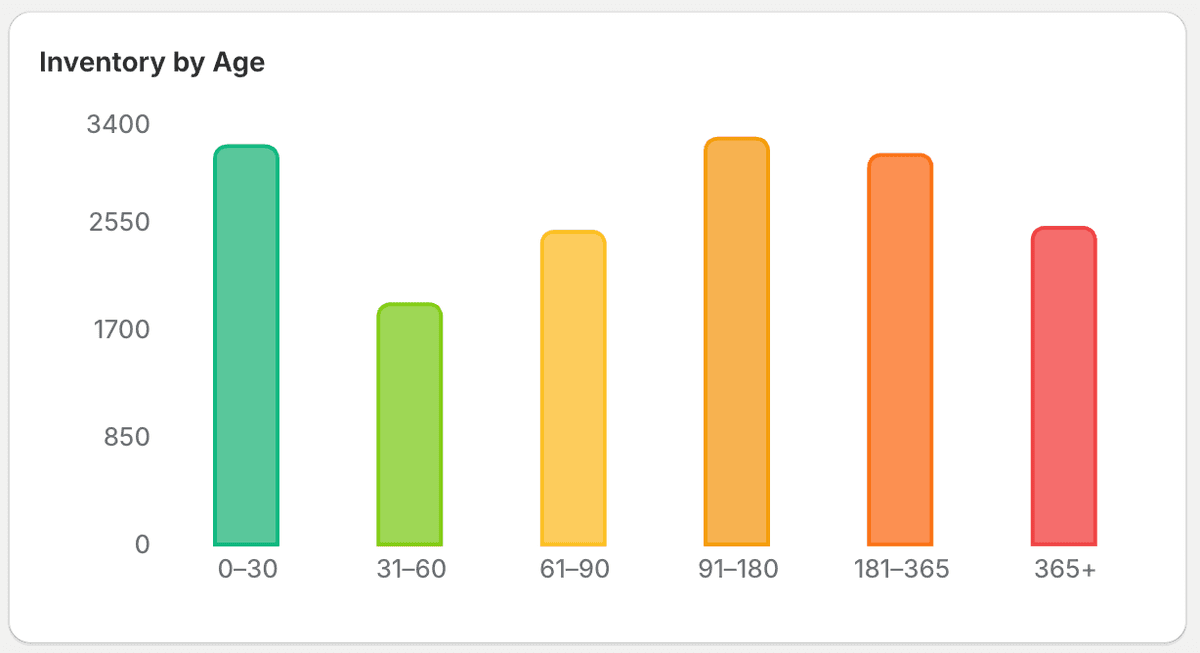
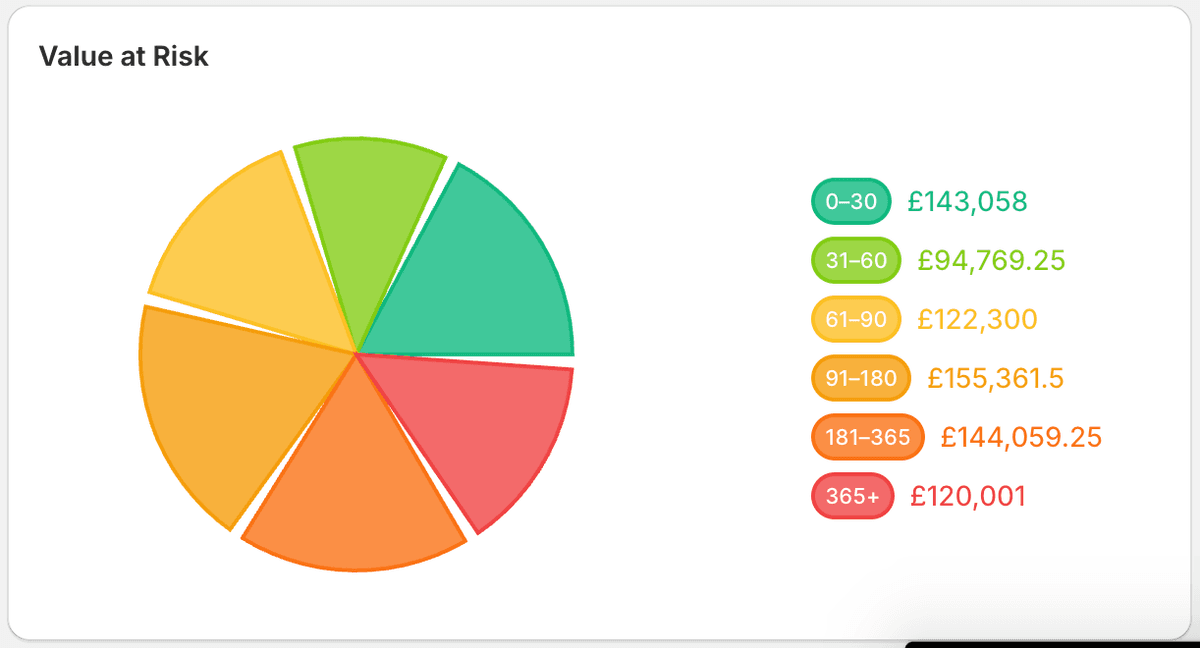
Inventory aging, made visible
AgingAlert gives you a clear, data-driven view of what's moving and what's not — directly from your Shopify store.
Know exactly when each SKU last sold
No estimates — last sold date is pulled directly from your Shopify order history. Every number is traceable.
Define what 'aging' means for your store
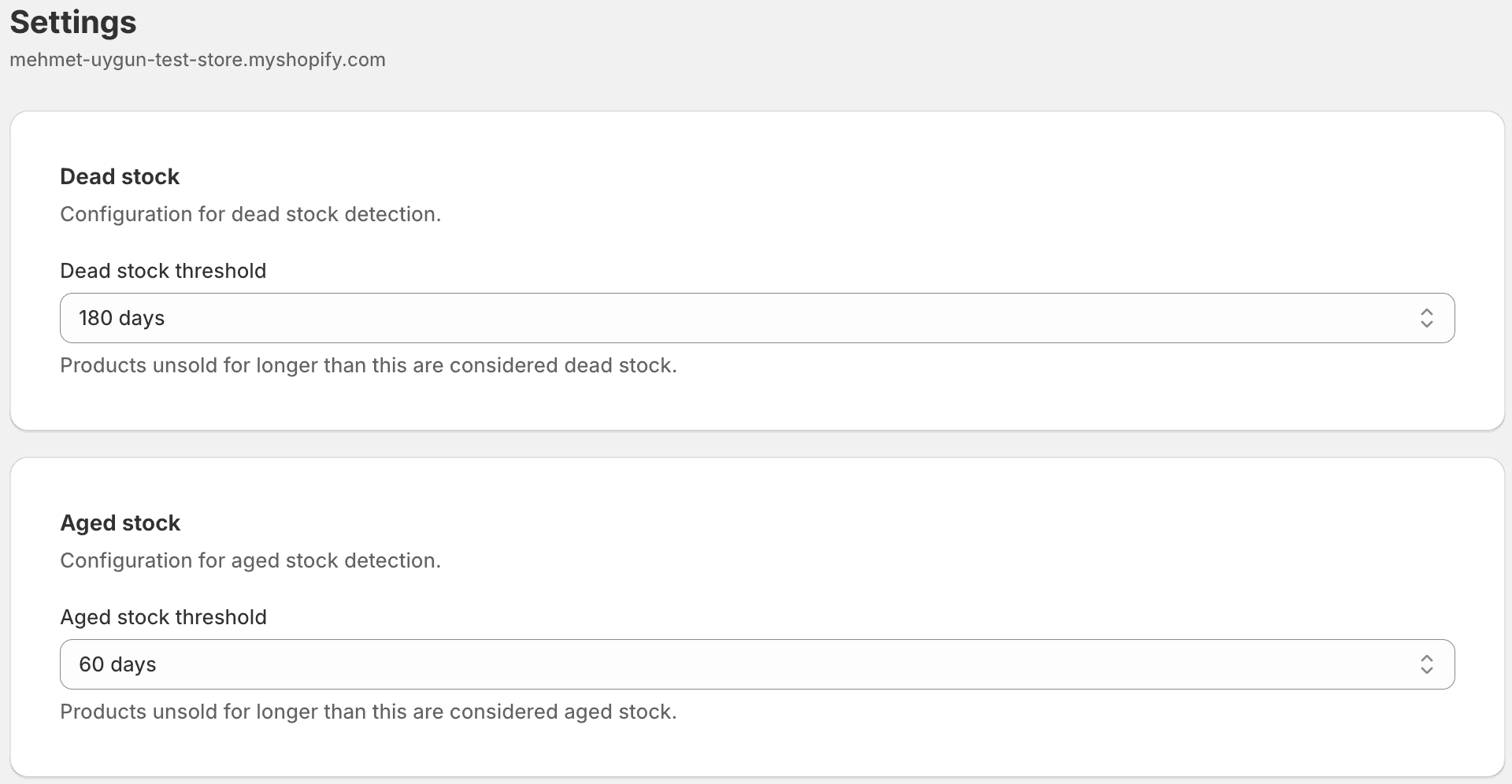
Set your threshold: 30 or 60 days. Products that cross it are flagged automatically — no manual checking.
Instantly spot products that stopped selling
Zero-sales SKUs surface immediately, sorted by how long they've been sitting. Ready for a decision.
Always know how fresh your data is
Every sync timestamp is visible on the report. No stale snapshots, no hidden refresh cycles.
Don't just see it — fix it
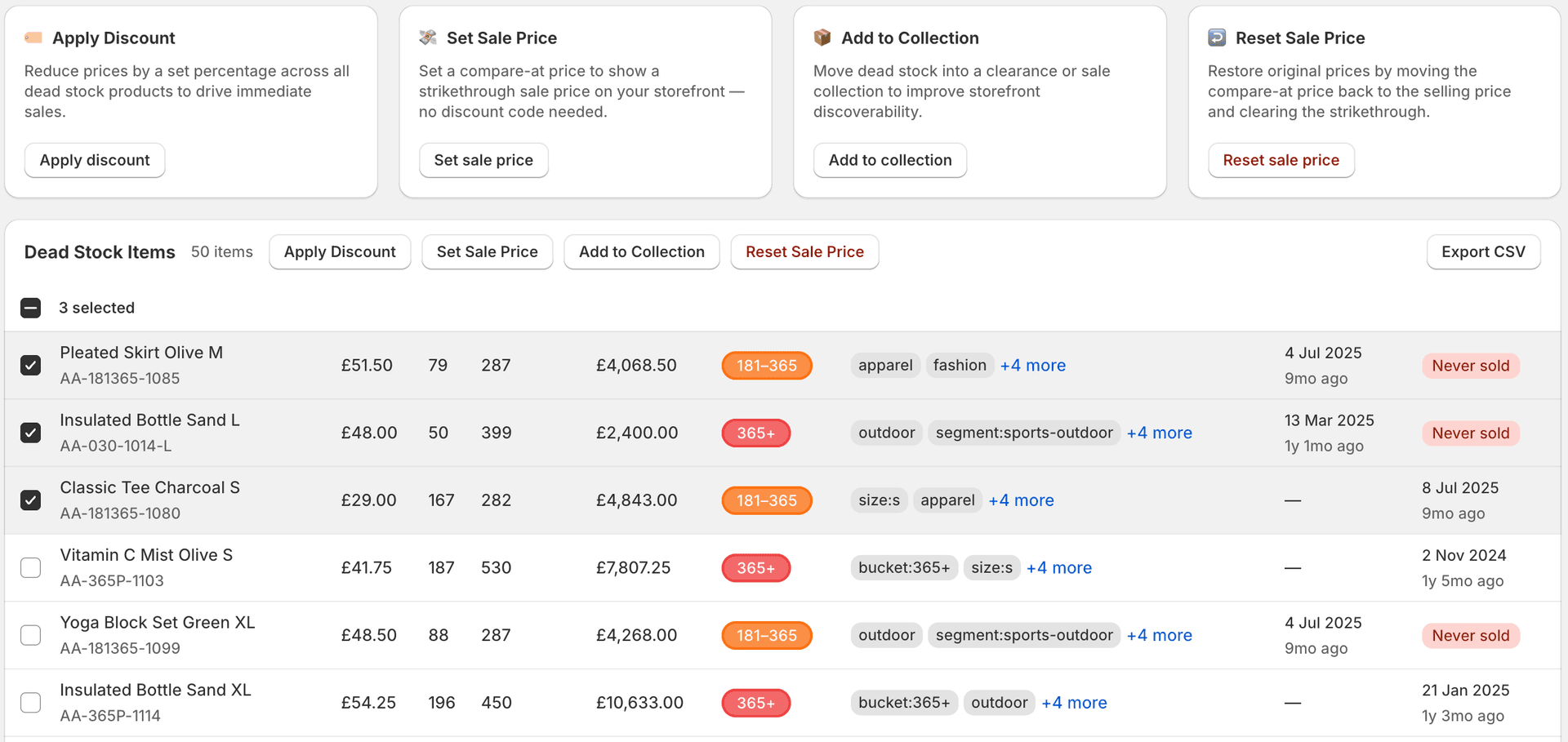
Select aging products and take bulk action in one click. Or export to CSV and handle it your way — in a spreadsheet, with your team, or through another tool.
Reduce prices across dead stock to drive immediate sales
Show a strikethrough sale price on your storefront — no discount code needed
Move aging stock into a clearance or sale collection
Restore original prices cleanly when a sale ends
No black boxes. Just your data.
Most inventory tools score, estimate, or predict. We don't. Every number in AgingAlert is traceable to a real Shopify order — deterministic, not algorithmic.
How it works
Three steps from install to insight.
Install from the Shopify App Store
Click Install, authorize access, and you're in. Your aging report is ready within minutes. Default thresholds work for most stores — adjust them anytime if needed.
We analyze your order history per SKU
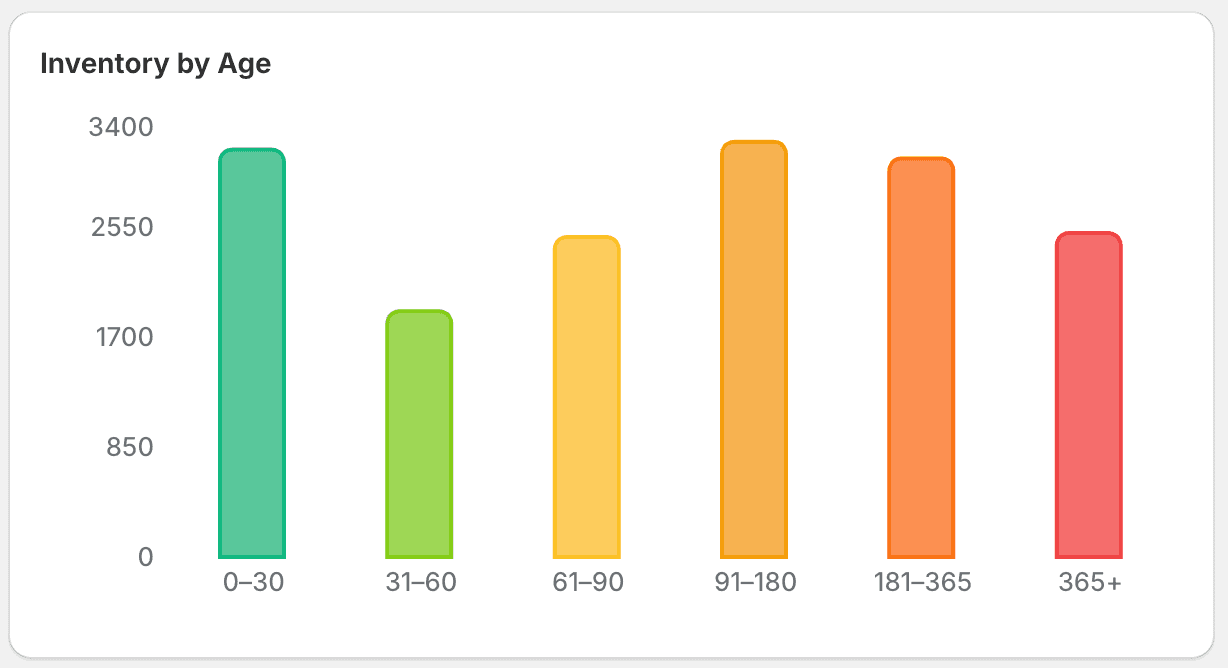
We only read order dates and line items — no customer names, addresses, or personal data. From that, we calculate the last sold date for every SKU and group your inventory into age buckets.
See what hasn't sold — and act on it
Your dead stock report is ready. Every SKU ranked by days since last sale. Dead stock flagged. Select products and take bulk action — discount, set sale price, or move to a clearance collection — all without leaving the app.
For Shopify stores with real inventory — not just a few products
Know what's aging. Act before it's dead stock.
Connect your Shopify store and see your aging inventory in minutes — built on your actual order data, not estimates.
Start free — see your aging inventory in minutes7-day free trial · No credit card required